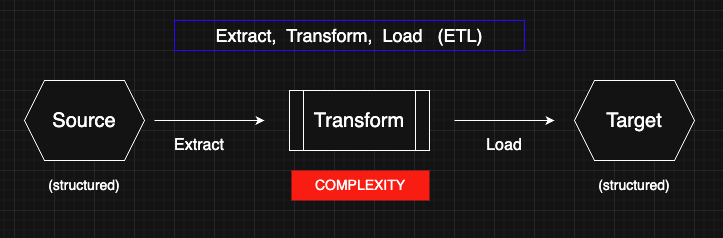
Most data tools focus on the easy parts — Extract and Load. Why? Because they deal with predictable, structured systems: read from a source, write to a destination. It’s routine, templated, and well-served by dozens of lookalike tools. But in the middle lies the true complexity — the Transform step.
This is where real work happens: cleansing, normalizing, filtering, reshaping. It’s messy, variable, and business-specific. That’s why most platforms avoid it. CSVTRAX is different. We specialize in solving the Messy Middle — giving you intuitive control over the hardest part of the ETL process, where real value is created.
Others skip the Messy Middle. CSVTRAX is purpose-built for it.
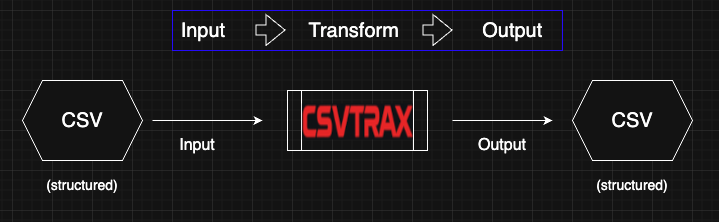
Most tools focus on getting data in and out — because nearly every system can import and export CSV. That's the easy part. But what about the messy middle? That’s where CSVTRAX stands apart.
We specialize in transforming structured CSV files — not just reading or writing them. Whether you’re a spreadsheet user cleaning up messy columns or a technical team preparing data for a transformation pipeline, our platform helps you reshape, filter, normalize, and refine your data with precision.
CSV in, CSV out — and in the middle: CSVTRAX -- a powerful, visual tool that takes care of the hard part.
No scripts. No guesswork. Just clean, structured output ready for wherever it needs to go.
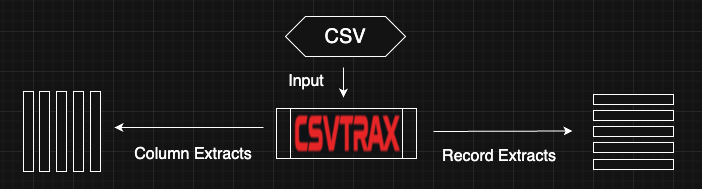
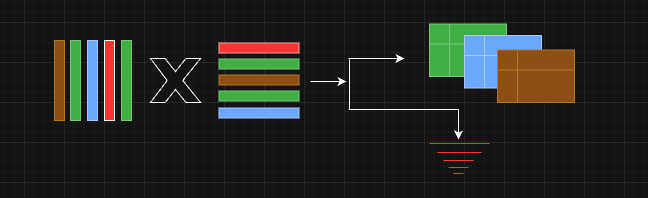
Your data transformation journey doesn’t end with cleaned-up values — it also includes shaping the structure itself. CSVTRAX makes it easy to extract only the columns you need, reorder them for your target format, and filter records based on your criteria — all in one streamlined operation.
From a single CSV input, you can generate multiple targeted outputs: column extracts for schema reshaping and record extracts for focused subsets. Whether you’re preparing data for reporting, integration, or handoff to partners, you stay in control of both what the data says and how it's structured.
It’s more than cleanup — it’s intelligent curation at scale.
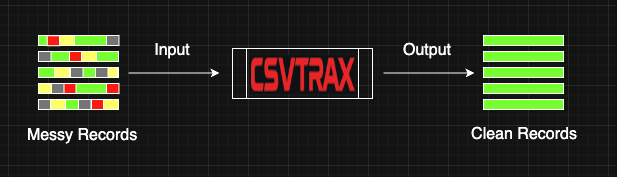
Messy data isn't just inconvenient — it's a barrier to insight. That’s why CSVTRAX offers a powerful, visual approach to cleansing your CSV files with precision. Each column can be paired with a custom series of Field Operations — composable tools that detect, correct, and refine values based on your specific rules.
These operations are stacked in what we call a Column Track, giving you full control over how each column is interpreted and transformed. Whether it's trimming whitespace, unifying case, fixing broken patterns, or applying logic-based replacements, cleansing is no longer a chore — it’s a guided, repeatable process tailored to your data.
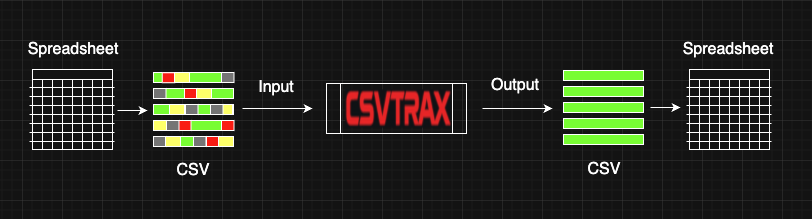
If you live in spreadsheets, you already speak the language of structured data. But not every task is easy inside the grid. When complex cleansing, normalization, or replacement tasks start requiring formulas, scripting, or Visual Basic, most users hit a wall.
That’s where CSVTRAX steps in. Simply export your spreadsheet as CSV, perform sophisticated transformations in a few guided clicks, and re-import the clean, structured result right back into your sheet. No coding. No formulas. Just fast, precise output that makes you more capable than ever — without changing the tools you already know. It’s like adding a power-up to your spreadsheet workflow.
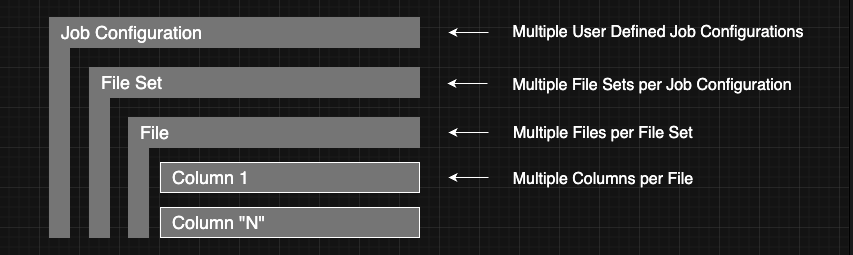
Your data work isn’t one-size-fits-all — and neither is CSVTRAX. That’s why we built a flexible 4-level structure designed to scale with your real-world needs.
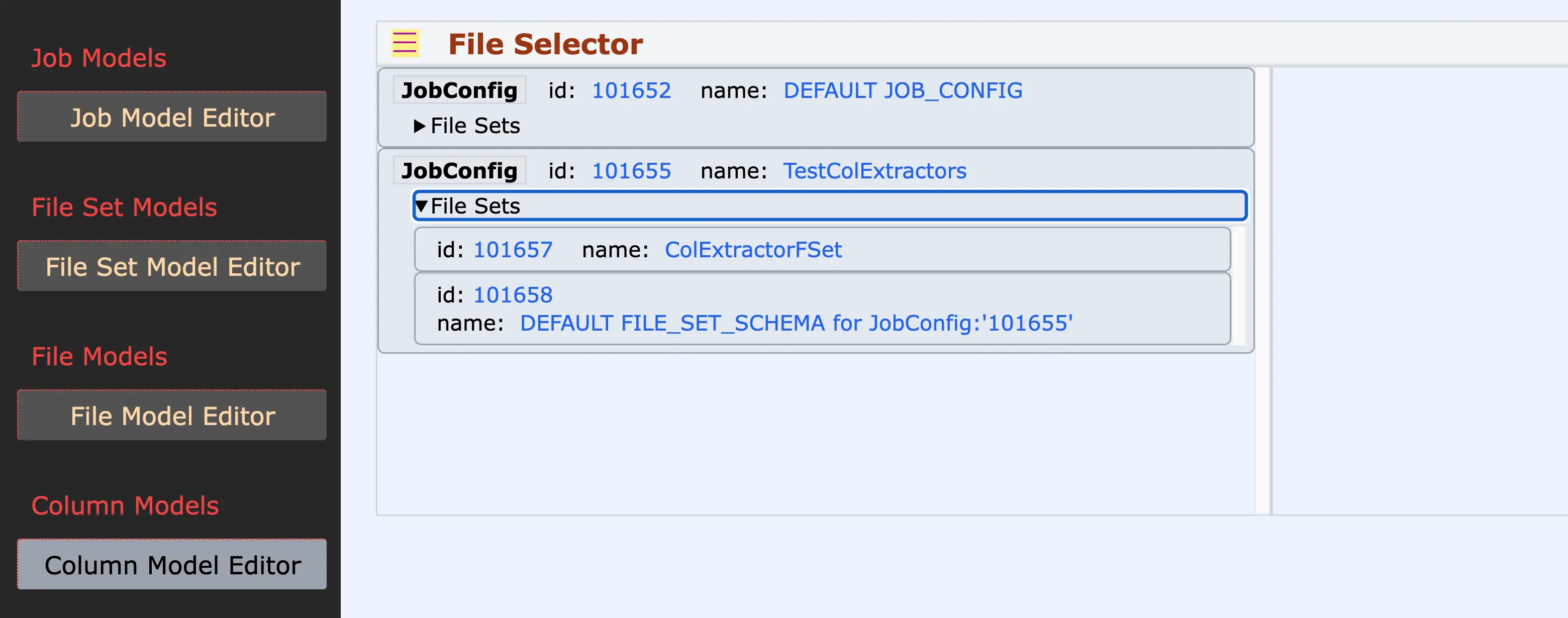
At the top, Job Configurations help you organize distinct data workflows. Inside each Job, File Sets group related CSVs — like roster data in EdTech or linked exports in HR. Each File is then modeled individually, and at the most powerful level, Columns become active pipelines where you build out Field Operations in a visual, track-based editor.
Whether you’re juggling one job or one hundred, this structure helps you stay organized, clear, and in control — no matter how complex your mission becomes.
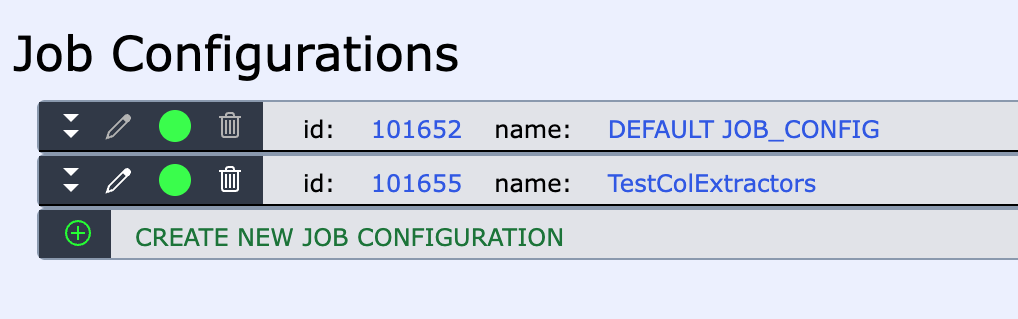
Every mission needs a plan — and in CSVTRAX, Job Models are where your plan takes shape. Think of them as your top-level workspace, where you define the strategic intent behind your data transformation goals.
Each Job Model gives you a clean slate to organize related File Sets and Column-level operations under one cohesive umbrella. Whether you're managing multiple departments, data pipelines, or experimenting with new approaches, Job Models give you the clarity and flexibility to separate concerns and stay focused.
Most users won’t need many — but having the power to isolate, iterate, and evolve your transformations without cross-contamination is what makes Job Models a trusted foundation. Build with confidence, knowing each Job Model aligns with your mission.
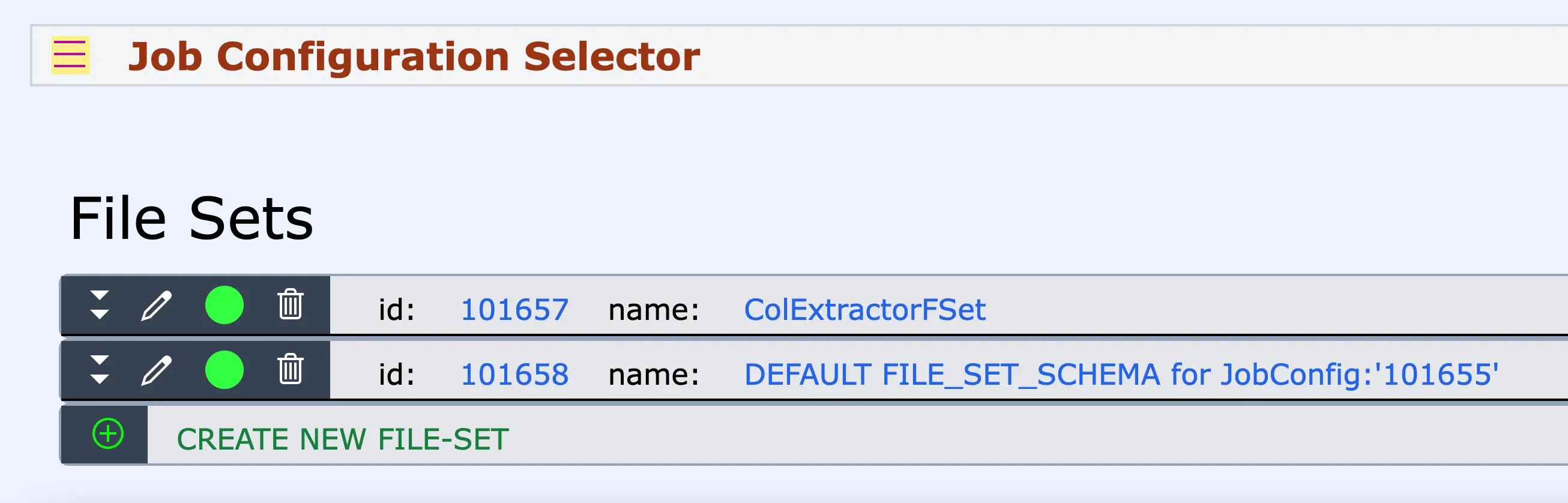
File Sets are your blueprint for organizing related files into meaningful, manageable units. Nested within a Job Model, each File Set acts as a self-contained package of CSV or tabular files that share a common purpose — such as monthly exports, department-specific reports, vendor data feeds, accounting extracts, system migration files, or your own custom collection.
Use File Sets to reflect the natural grouping of your data, separate test cases from production logic, or model nuanced variations without clutter. By organizing files into semantically cohesive sets, you preserve clarity, encourage reuse, and gain the flexibility to iterate intelligently.
With File Sets, your strategy isn’t just documented — it’s built into how your data flows.
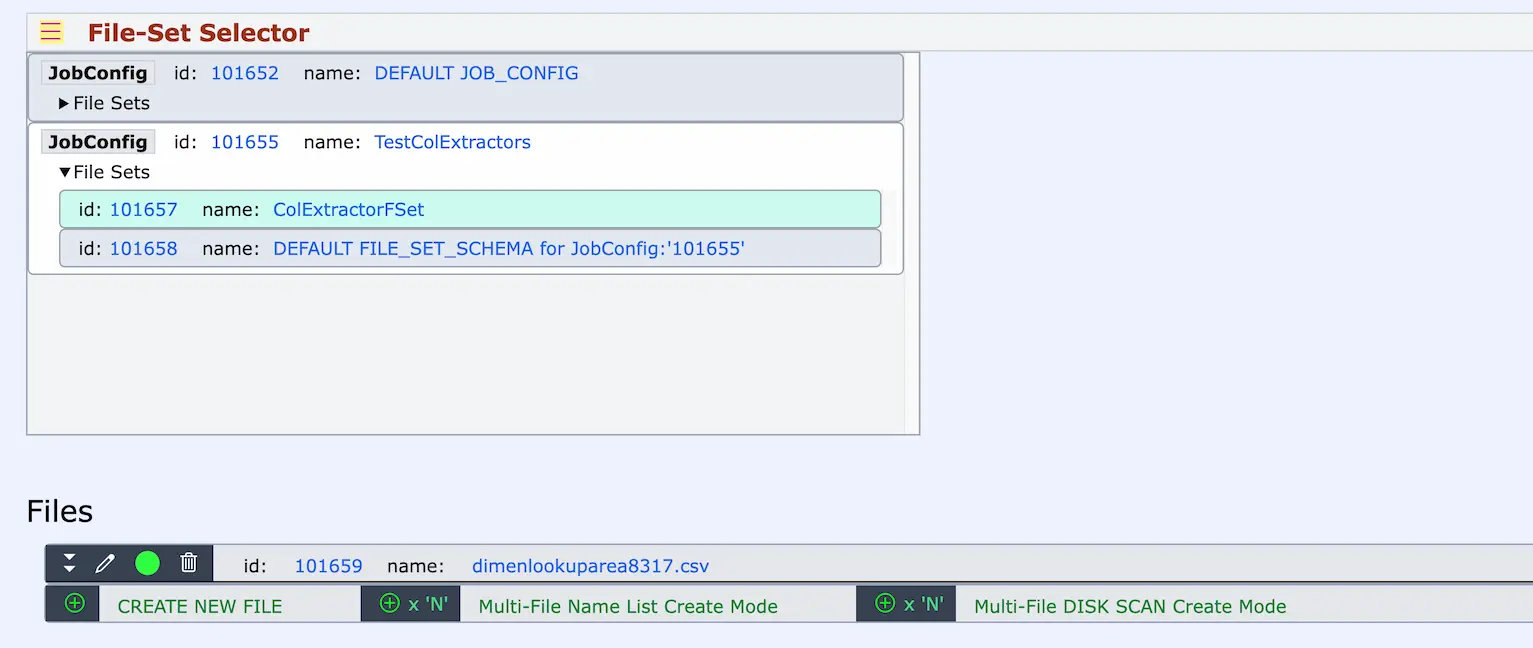
The files you upload are more than just static inputs — they’re modeled, understood, and deeply integrated. Each file in your account is tracked by a persistent FileSchema, giving it structure and purpose beyond its disk representation.
Declare line-feed styles, annotate with versioning or descriptions, and selectively enable participation in Jobs. Every file is visually tied to its parent File Set, giving you a situational view of how your components interact.
Unlike traditional file explorers, our UI surfaces relationships, lifecycle status, and configuration details—empowering you to manage your growing data workspace with clarity and control.
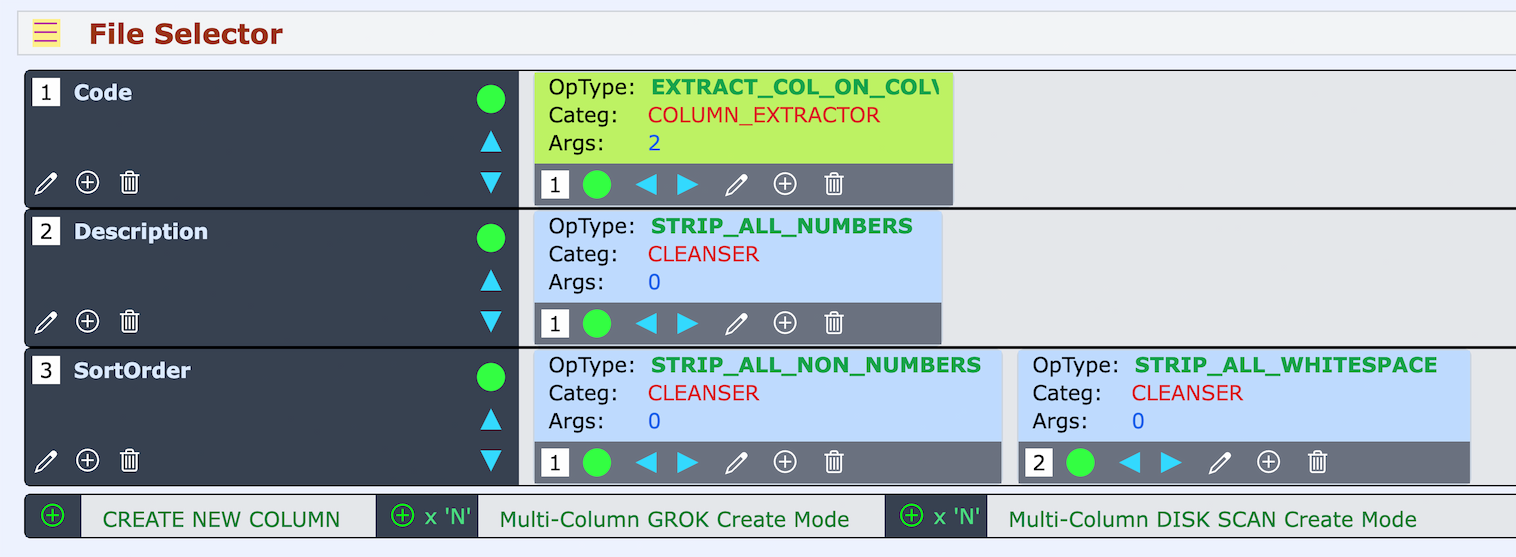
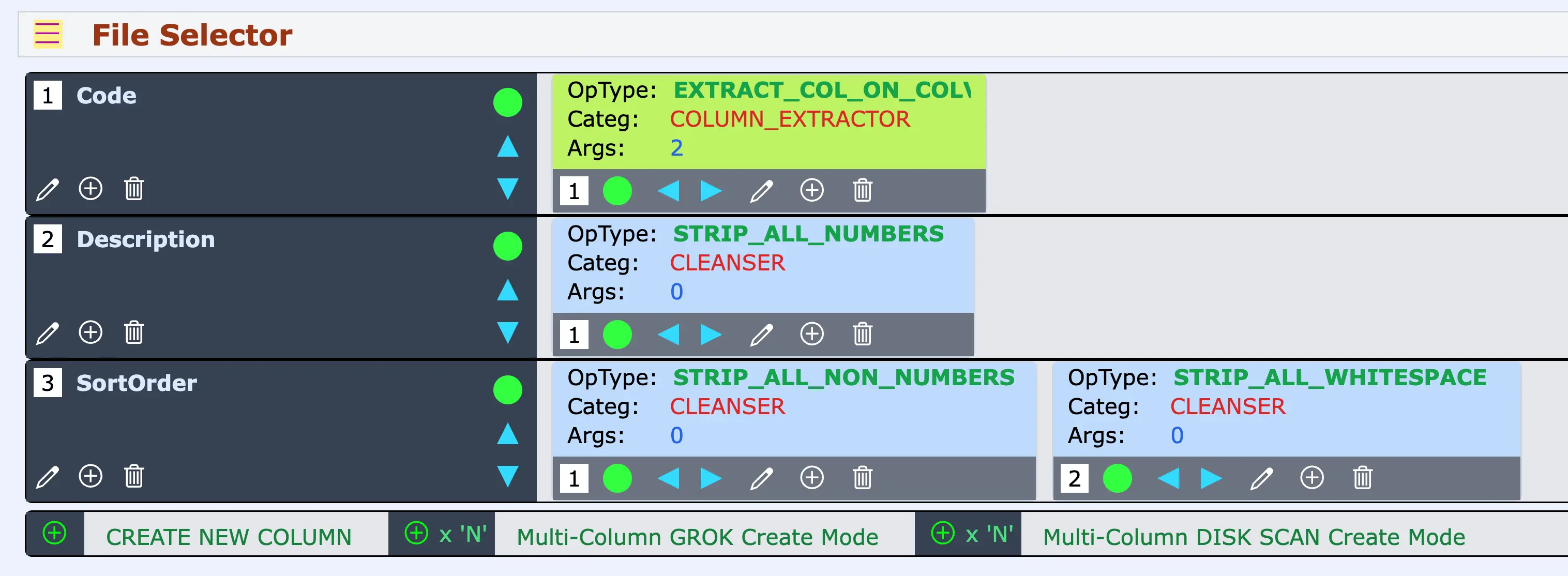
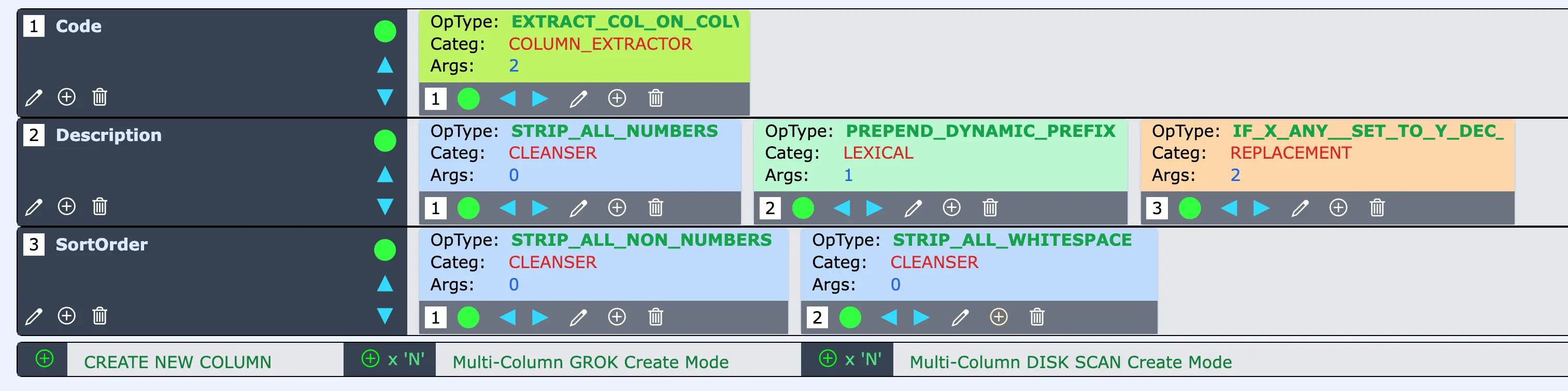
Welcome to the heart of the action. In CSVTRAX's unique Column Tracks View, each column in your CSV file is treated as a distinct, vertically stacked "Track" — much like an audio or video editing timeline. This intuitive layout lets you layer multiple Field Operations along a track that processes each column’s data, step-by-step, during a Job Run.
Behind each visible column is a fully modeled Column Schema that stores metadata and configuration, allowing precision, control, and reuse. This visual-editor approach transforms structured data work from a cluttered formula hunt into a focused, creative workspace — where clarity meets power and your transformation logic flows left-to-right, column by column.
Many users know exactly what they want to do to their data — but run headlong into the frustration of needing to express it in arcane syntax or rigid scripting logic.
CSVTRAX transforms that struggle into clarity with a uniquely visual UI that removes the need for command syntax altogether.
Instead of writing code to trim whitespace or reformat a column, just place the “Strip All Whitespace” Field Operation onto the relevant Column Track. Each operation appears as a clearly labeled block, visually ordered in sequence, letting you see the entire transformation as it happens.
You aren’t wrestling with hidden rules or buried scripts — you’re shaping outcomes by simply arranging what you already understand. The interface promotes confidence, situational awareness, and progress — because when you can see it, you can do it.
Building powerful data transformations doesn’t have to be overwhelming. CSVTRAX guides you through the setup process with a thoughtfully ordered, top-down structure that matches how you think.
From defining the Job Model to configuring File Sets, uploading Files, and assigning Column-level logic, every step is laid out clearly in sequence. The left-hand interface presents this order visually, with dedicated editors for each of the four levels—so you always know where you are, and what’s next.
This step-by-step progression removes guesswork and builds confidence, even for first-time users. The structure teaches as you go, reinforcing the mental model of how Jobs are composed — allowing you to go from concept to execution with clarity, speed, and precision.
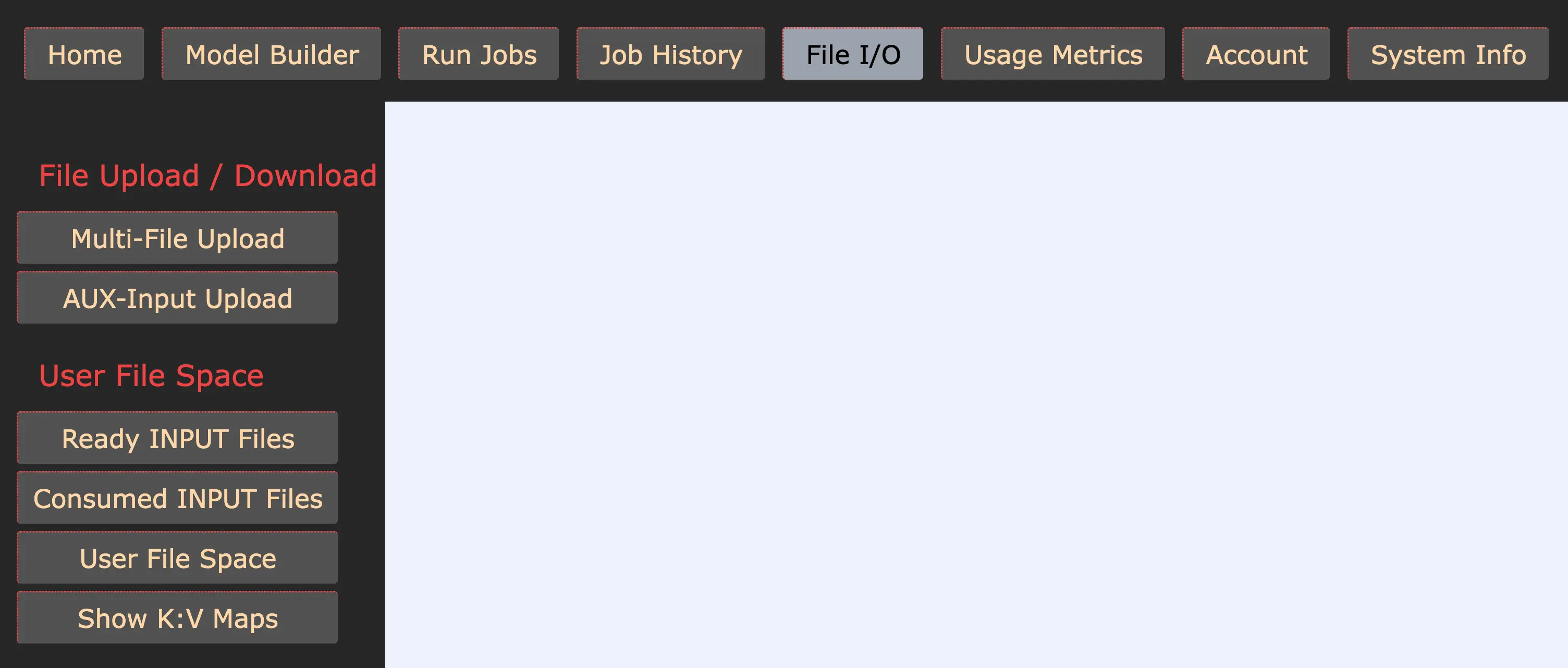
No dropdowns. No guessing. No hunting through layers of nested menus. CSVTRAX is designed with flat, always-visible navigation to keep everything you need right in sight. The global navigation lives across the top, clearly labeled and persistently accessible.
Select a section, and the corresponding left-side panel instantly reveals all relevant tools in a vertical button stack — tailored to that page. Each area has its own intuitive layout, eliminating the need to memorize where features are buried.
This always-in-view design ensures your focus stays on the task, not on figuring out the interface. It’s a purposeful choice that saves time, reduces friction, and lets you get straight to solving your data challenges.
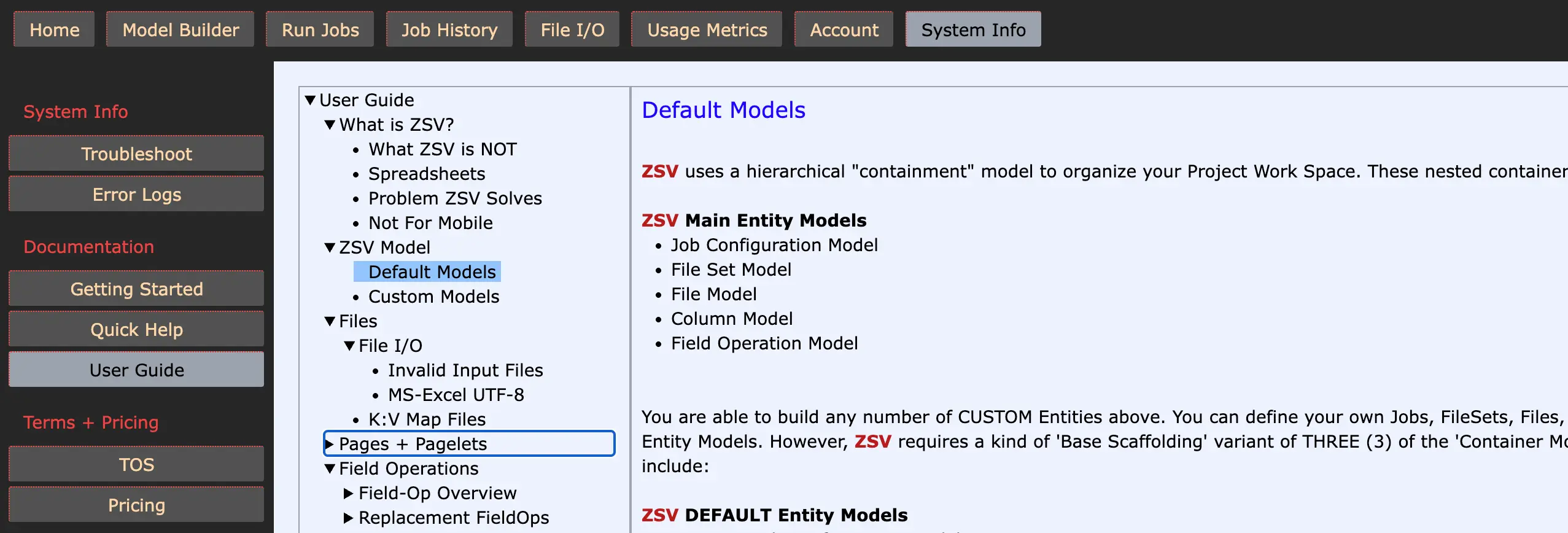
We believe documentation is a core feature — not an afterthought. Every part of CSVTRAX is backed by clear, comprehensive, and well-organized guidance.
Access it anytime from the top-level "System Info" menu, with dedicated sections for Getting Started, Quick Help, and a richly structured User Guide. Our 4-level documentation hierarchy makes it easy to navigate even the most advanced topics, ensuring you’re never left guessing.
Whether you're a beginner or a seasoned data wrangler, you’ll find precise, actionable answers right where you need them. This level of documentation reflects our commitment to your success — and our respect for your time, focus, and trust.
From your first login to your first successful Job, CSVTRAX is designed to get you productive — fast. With a Getting Started guide, intuitive zero-argument Field Operations, and embedded in-place documentation, you’ll achieve real results in under an hour.
As your confidence grows, so do your capabilities. Our library of nearly 200 Field Operations scales with you — from simple no-input transforms to advanced two-argument logic — all richly explained and immediately accessible.
There’s no wall to crash into, no arcane syntax to master. Just a smooth, thoughtfully crafted continuum from beginner wins to expert-level control. We believe the path to mastery should be empowering, not obstructive — and we’ve built every detail of the learning curve to reflect that.
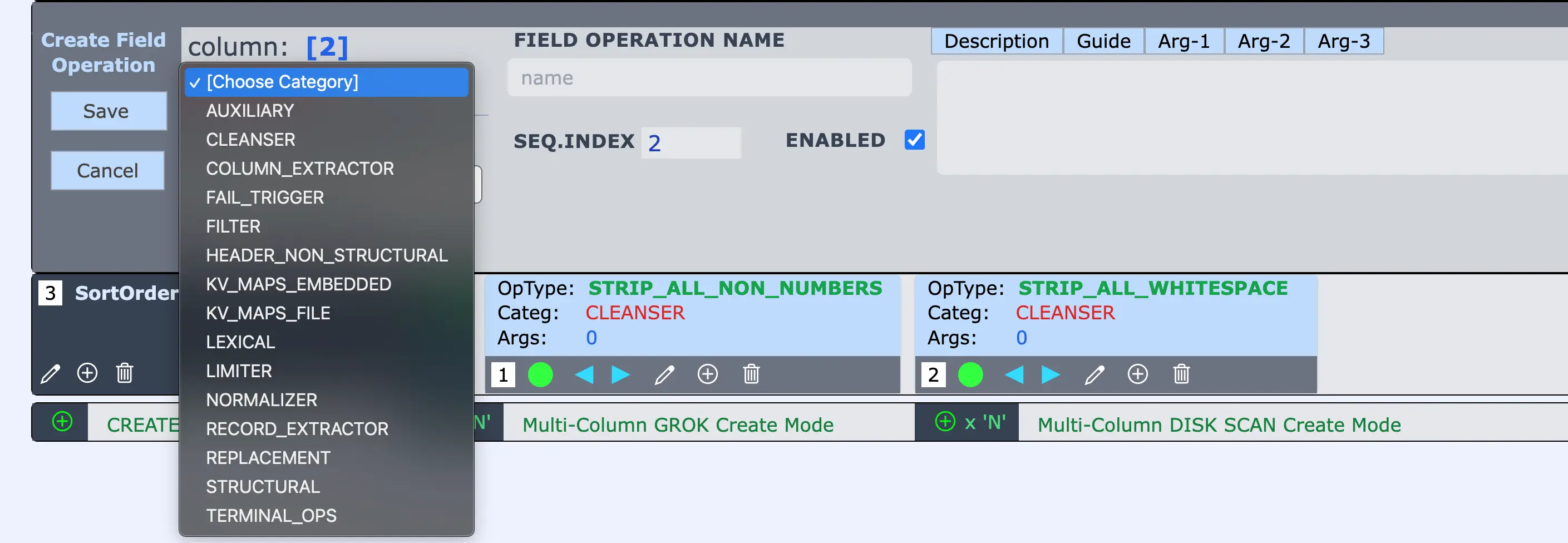
Transforming the content inside each CSV cell is where your data takes on new precision, clarity, and purpose. CSVTRAX equips you with a vast and expanding library of Field Operations — nearly 200 and counting — organized across focused categories like CLEANSER, FILTER, LEXICAL, NORMALIZER, and more.
Whether you need to standardize messy values, apply replacements, map values from embedded dictionaries or external files, or perform intricate string manipulations, there's a Field Operation for it. Each is purpose-built and configurable with an intuitive editor, empowering you to achieve clean, corrected, and precisely shaped data.
With this depth of transformation power, you're not just modifying CSVs — you're refining insight, one value at a time.
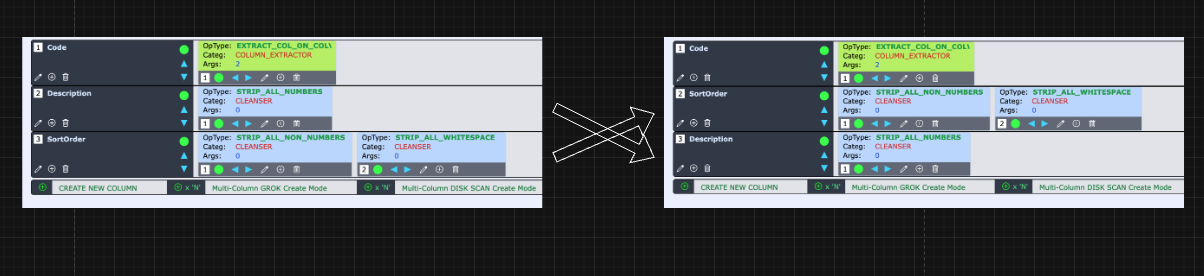
Structural changes to your CSVs — like reordering columns, filtering them out, or inserting new ones — are just as easy and intuitive as transforming individual values. With a simple click, you can move a column up or down, drop in new columns, or exclude fields entirely. But unlike spreadsheets, where structure and data are tightly coupled, CSVTRAX models these structural operations independently.
This means once you’ve defined your transformation logic, it can be applied repeatedly to future file versions with identical structure. Whether you receive recurring data drops or must normalize third-party exports, these operations remain reliably repeatable. Structural control is first-class in your workflow — visual, declarative, and built to scale.
Powerful transformations rarely require complexity — just the right sequence of simple steps. With Column Tracks, you can visually compose any number of Field Operations in the order you need.
Each column is independently configurable: one might require a single cleanser, another a chain of lexical analysis followed by a targeted replacement. The flexibility to mix and sequence operations across nearly 200 available transforms means the space of possibilities expands combinatorically.
This composability empowers you to break down even the most intricate data tasks into clean, visual steps. The result? A tailored, repeatable solution that transforms your data exactly the way you envision — without ever writing a line of code.
Our CSVTRAX platform already equips you with nearly 200 distinct Field Operations — each purpose-built to solve specific data transformation needs. From whitespace trimming to pattern replacements, from embedded lookups to powerful lexical refinements, each operation stands ready to be placed into your Column Tracks with ease.
But perhaps more importantly, this deep catalog is just the beginning. The architecture of CSVTRAX was explicitly designed to evolve. New Field Operations are continuously introduced based on real-world data scenarios and subscriber feedback. This ongoing expansion isn’t just maintenance — it’s a feature.
As your data challenges grow, so too does your toolbox. Subscribing means aligning with a platform that’s actively growing to meet the ever-changing landscape of structured data transformation.
At the pinnacle of power within our transformation suite lies the Key-Value Mapping capability — a uniquely flexible and high-performance feature class unmatched in traditional tools.
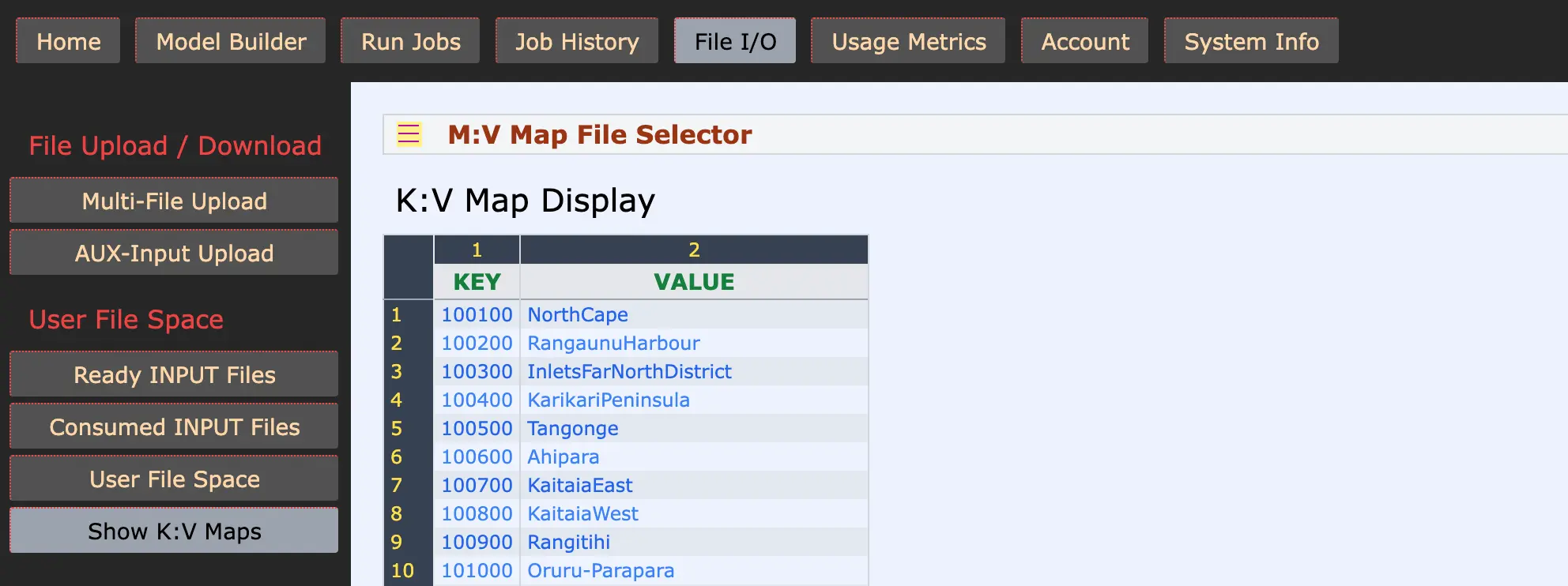
Our CSVTRAX platform supports two levels of Key-Value Mapping: full-scale K:V-Map Files, which can be uploaded, inspected, and reused across jobs; and K:V-Map Args, a lightweight inline variant where the entire map is expressed as a compact string within a Field Operation.
These features far surpass the lookup capabilities found in spreadsheets. Whereas tools like V-Lookup in "well known spreadsheets" struggle under load, our runtime engine can process thousands of key-based replacements per second — without breaking a sweat.
These mappings enable users to declaratively define replacements, translations, and normalizations at scale — transforming columns through clean, intuitive models that stay performant even as data volumes grow. It’s one of many examples where CSVTRAX is not merely catching up — but pioneering new territory in structured data transformation.
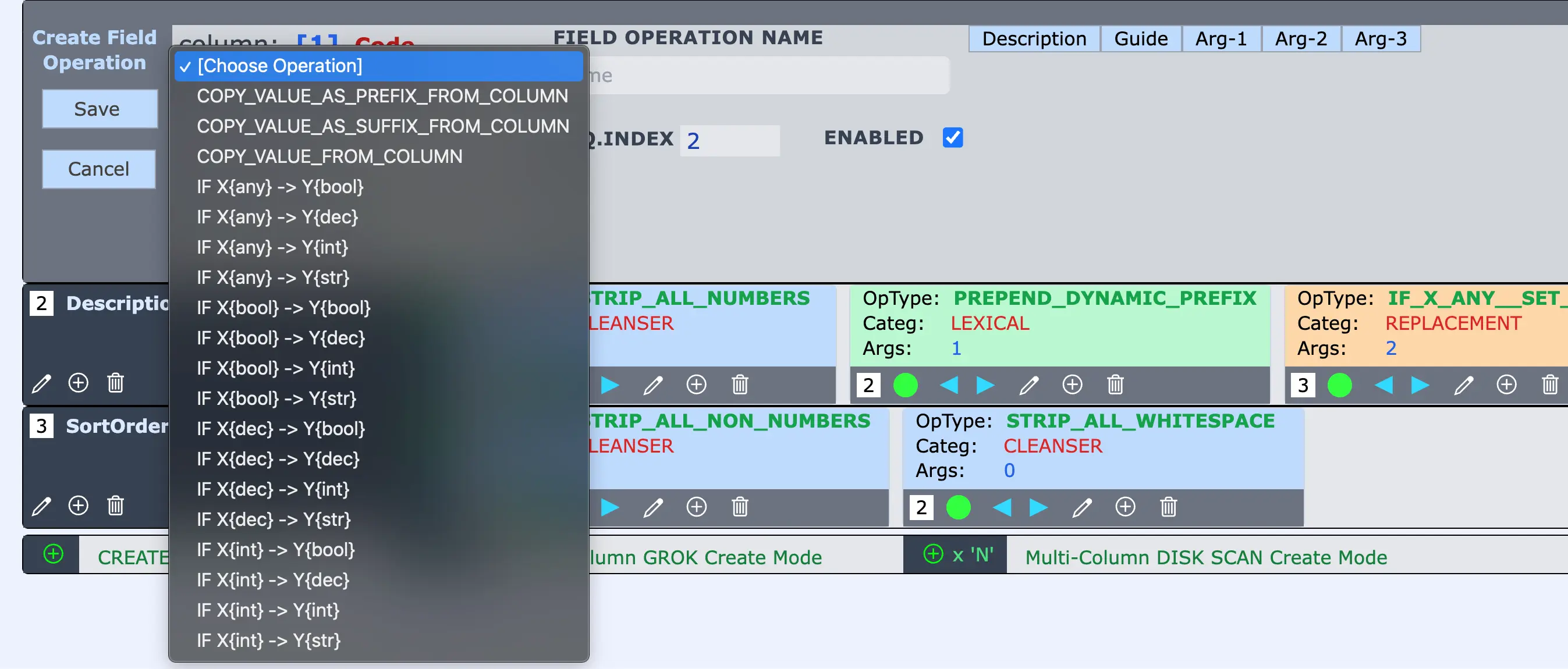
When it comes to data cleansing and normalization, few tools are as essential — and as frequently used — as Value Replacement. This cornerstone category of Field Operations in our platform offers rich, flexible capabilities to surgically transform data with both precision and power.
With 19 distinct operations, users can easily target and replace values based on robust pattern-matching conditions, while enforcing type safety — limiting operations to integers, booleans, decimals, or strings. This grants unprecedented control while eliminating unintended matches. More advanced operations allow for cross-column replacements, conditionally sourcing values from any other column in the same row — perfect for resolving fallback values, handling partial records, or performing contextual substitutions.
Whether your goal is to scrub out anomalies, standardize inconsistent inputs, or dynamically restructure values across your dataset, the Replacement category offers a declarative, scalable approach. It’s a workhorse in the transformation suite — purpose-built to meet the challenges real-world data sets throw your way.
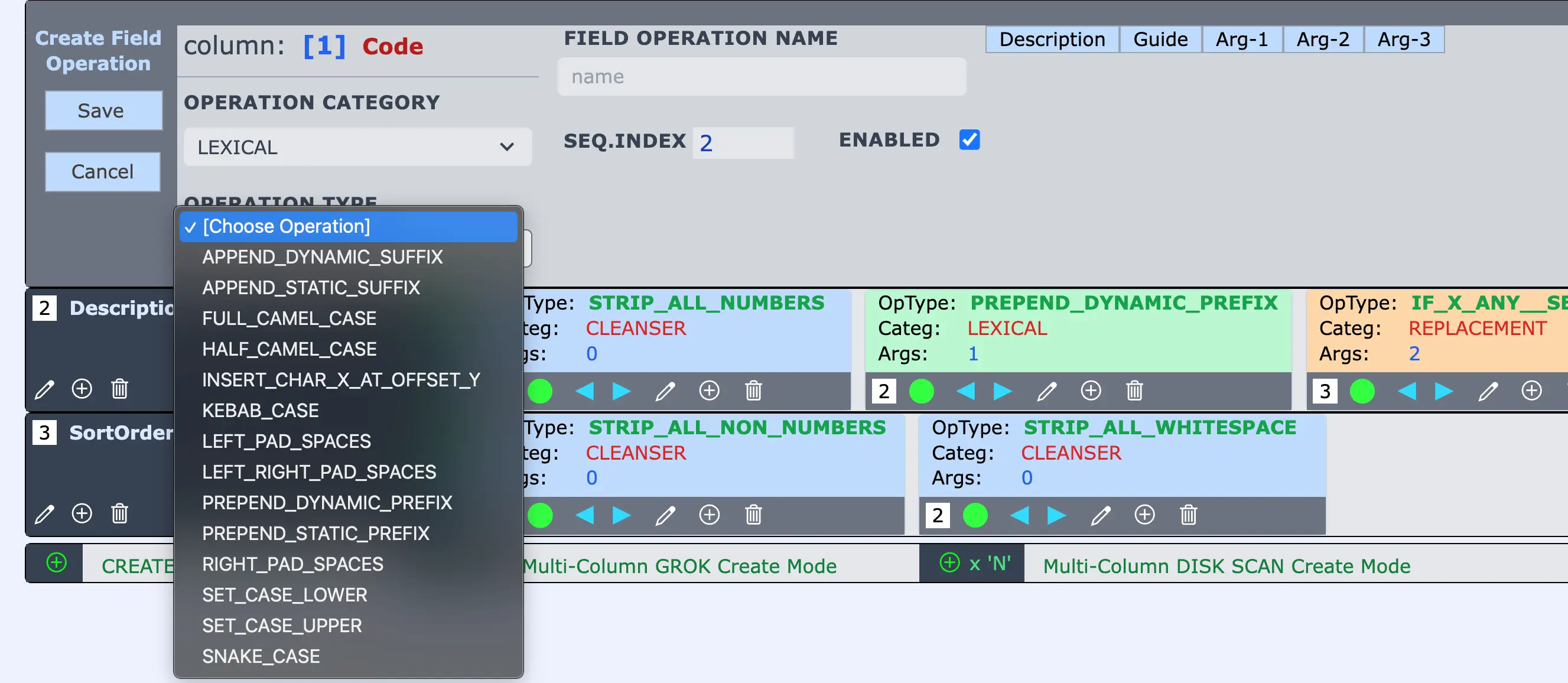
Sometimes the most impactful transformations are the most subtle. Our Lexical category of Field Operations delivers exactly that — precise, readable, and intuitive text-based transformations that give you powerful control over how your data is presented and interpreted.
With just a few clicks, users can apply operations like SET_CASE_UPPER, FULL_CAMEL_CASE, or SNAKE_CASE — modifying text into formats ready for downstream systems, APIs, or human-friendly display. These 14 operations also include padding, insertion, and suffixing techniques that are often tedious or unsupported in spreadsheets — and nearly always require scripting in traditional tools.
Many are zero-argument operations, making them ideal for new users to explore early wins with visible results. Whether you're preparing data for export, ensuring naming consistency, or just cleaning up presentation quirks, Lexical Transforms provide the tools to polish your dataset — declaratively, repeatably, and without writing a single line of code.
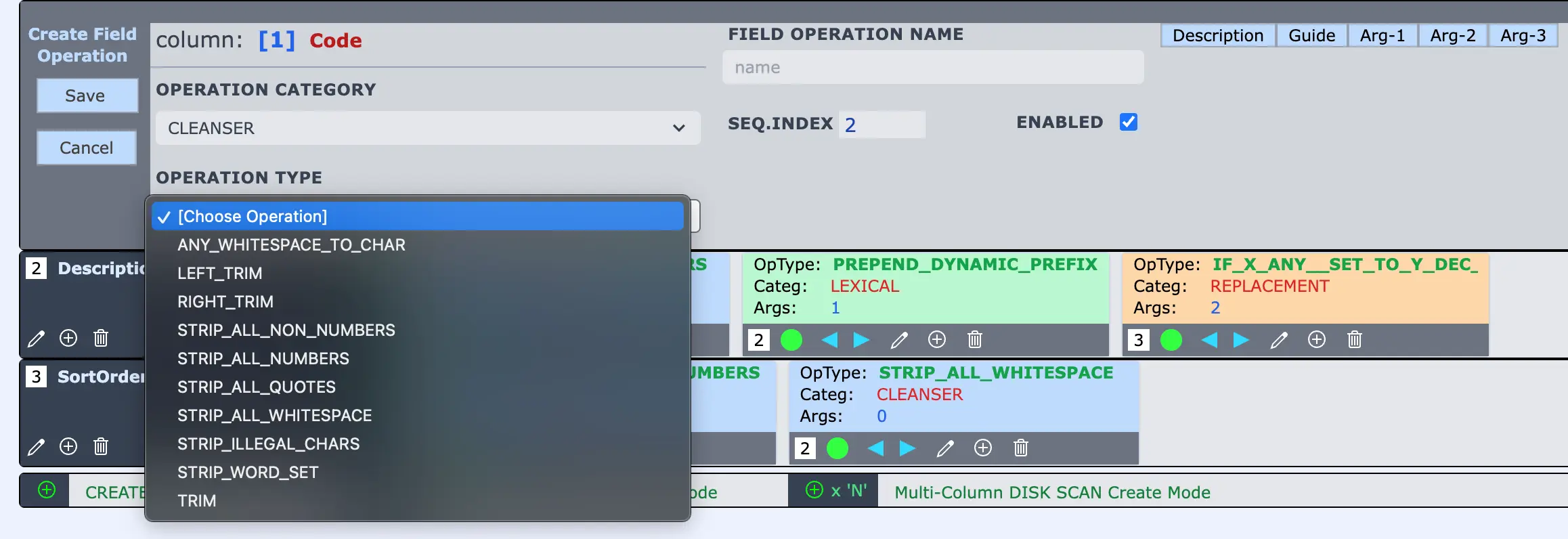
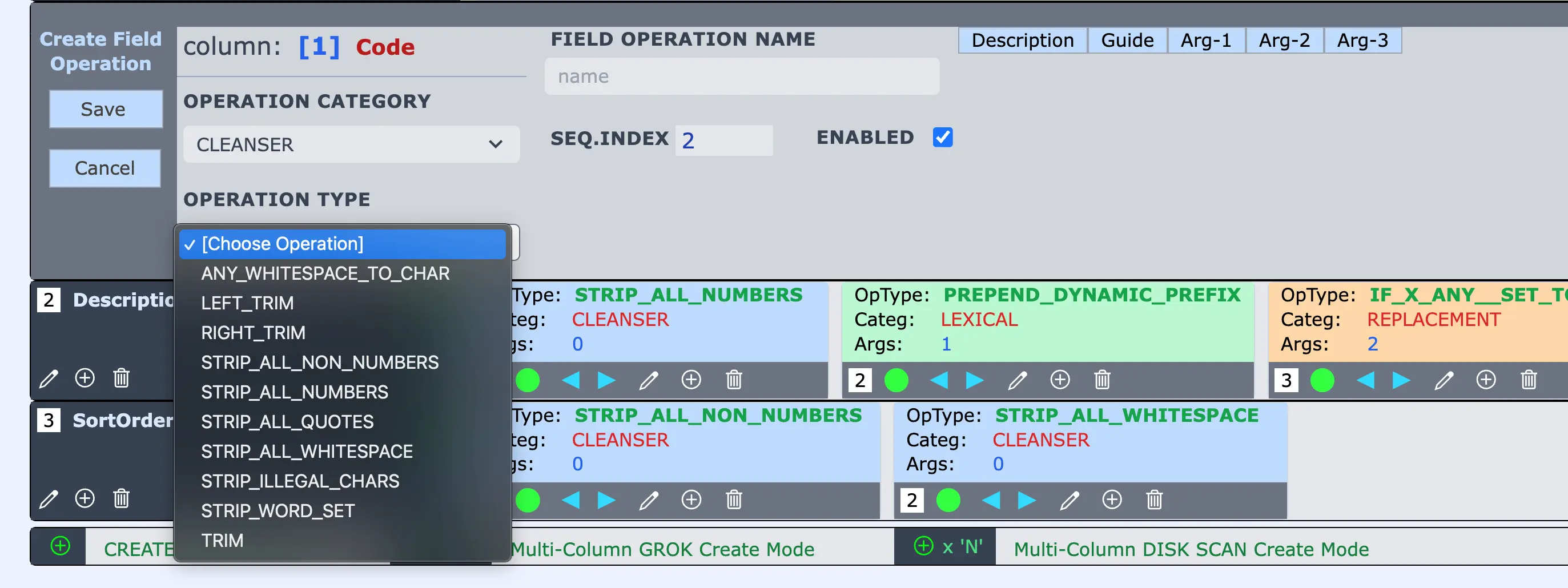
Your data is only as useful as it is clean. In the real world, spreadsheets and data feeds come riddled with excess whitespace, stray symbols, malformed values, and inconsistent formatting. That’s why our Cleanser category of Field Operations treats Data Cleansing as a First-Class Problem, not an afterthought.
With operations like STRIP_ALL_WHITESPACE, TRIM, STRIP_ALL_QUOTES, and STRIP_ILLEGAL_CHARS, users gain surgical control over exactly what to remove — and how. Need to target only a few misbehaving characters? Just provide them as an argument string like &%^; and our system will wipe them clean. Have a known set of junk terms polluting your values? STRIP_WORD_SET lets you define your own drop-word list, echoing the approach used in advanced search engines like Lucene.
These 10 powerful operations can be composed and sequenced, enabling quick, repeatable elimination of real-world messiness that traditional tools only clumsily support. Rather than bolting on awkward workarounds, CSVTRAX is purpose-built to confront and resolve cleansing challenges at scale — directly, declaratively, and without code.
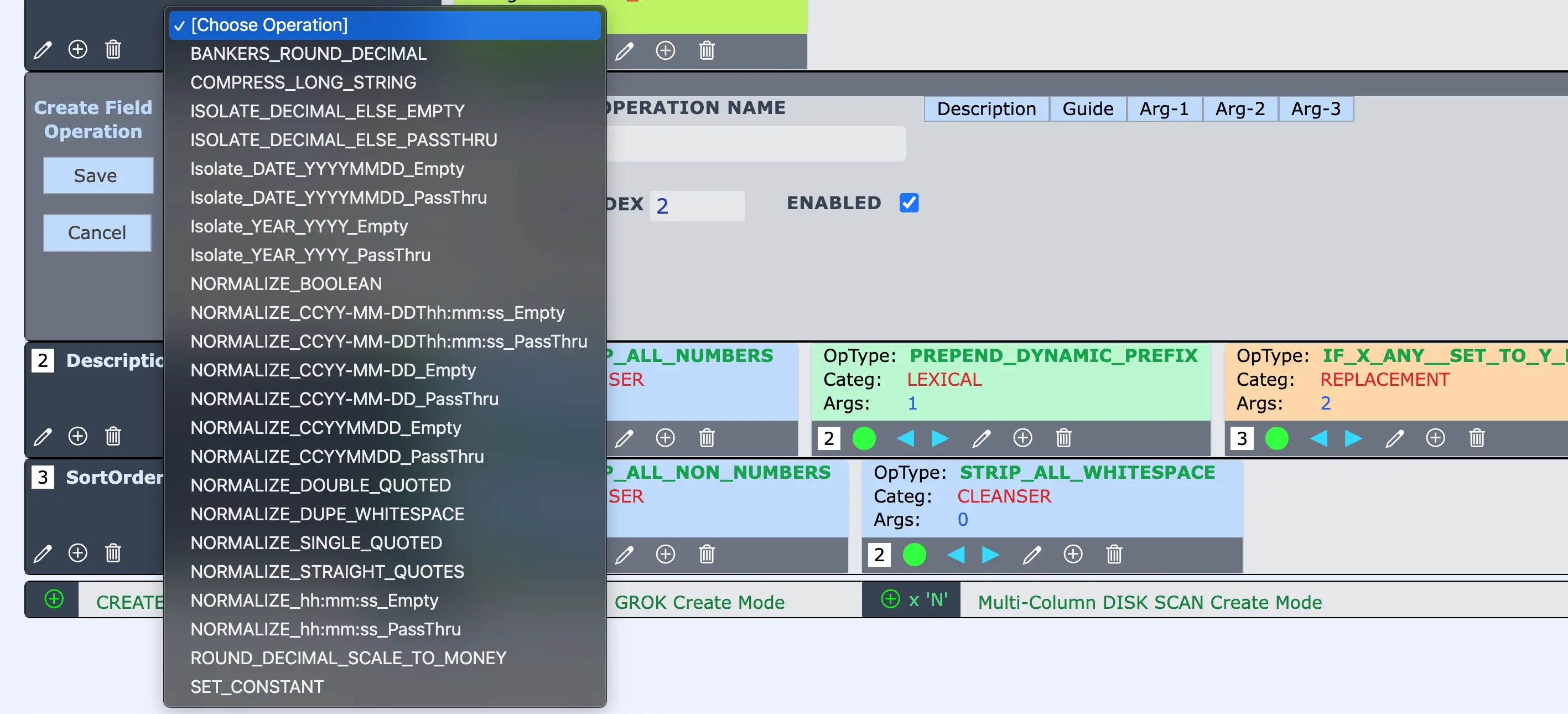
Structured data often hides chaos — inconsistent formats, variant spellings, irregular encodings — that cripple analysis and integration. The Data Normalizing Field Operations directly target this pain point with nearly 20 tools built to standardize, clean, and conform values into consistent, trustworthy forms.
Whether you’re aligning date formats, compressing overlong strings, reconciling quote styles, or enforcing canonical Booleans, these operations bring order to messy inputs.
From "true", "TRUE", "1" to a unified true — or from scattered 20240105 and 01/05/24 into a clean 2024-01-05 — normalizers give you control over representation, not just values. For any data wrangler, this category becomes a frequent ally — a practical, visual toolkit for imposing structure, resolving ambiguity, and ensuring your downstream logic receives clean, consistent inputs.
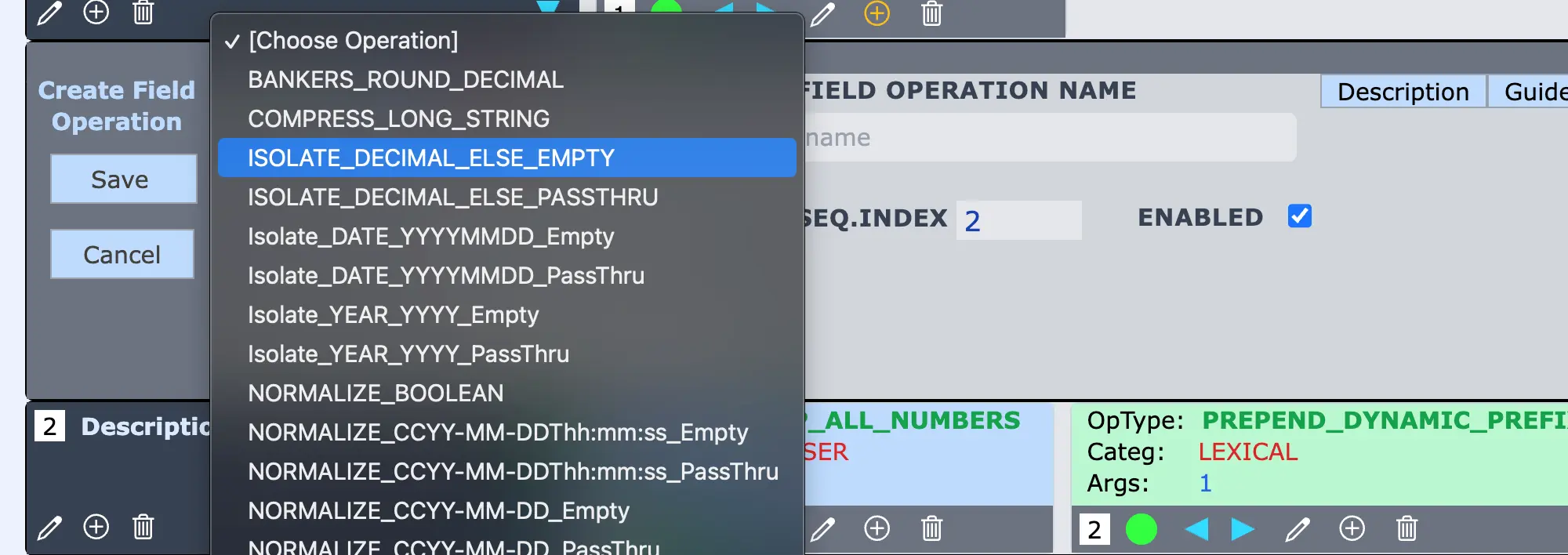
Real-world data is messy — often hiding useful values inside cluttered, commingled text. That’s where our evolving Value Isolators step in. These powerful Field Operations surgically extract recognizable patterns — like decimals, dates, or year values — from noisy column content, leaving only the signal and discarding the noise.
Operations like ISOLATE_DECIMAL_ELSE_EMPTY, Isolate_DATE_YYYYMMDD_PassThru, and Isolate_YEAR_YYYY_Empty embody a focused mission: find the precise data pattern you care about and discard the rest. Though currently part of the broader "Normalizers" category, this growing suite is on its way to becoming its own standalone top-level category — testament to our platform’s continuous evolution. This is adaptation in motion.
Our architecture welcomes new tools as real-world needs emerge. With Value Isolators, you gain precision control over unruly input — ensuring your output is focused, clean, and ready for the next step. It’s one more way CSVTRAX grows to meet the complex, changing landscape of modern data transformation.
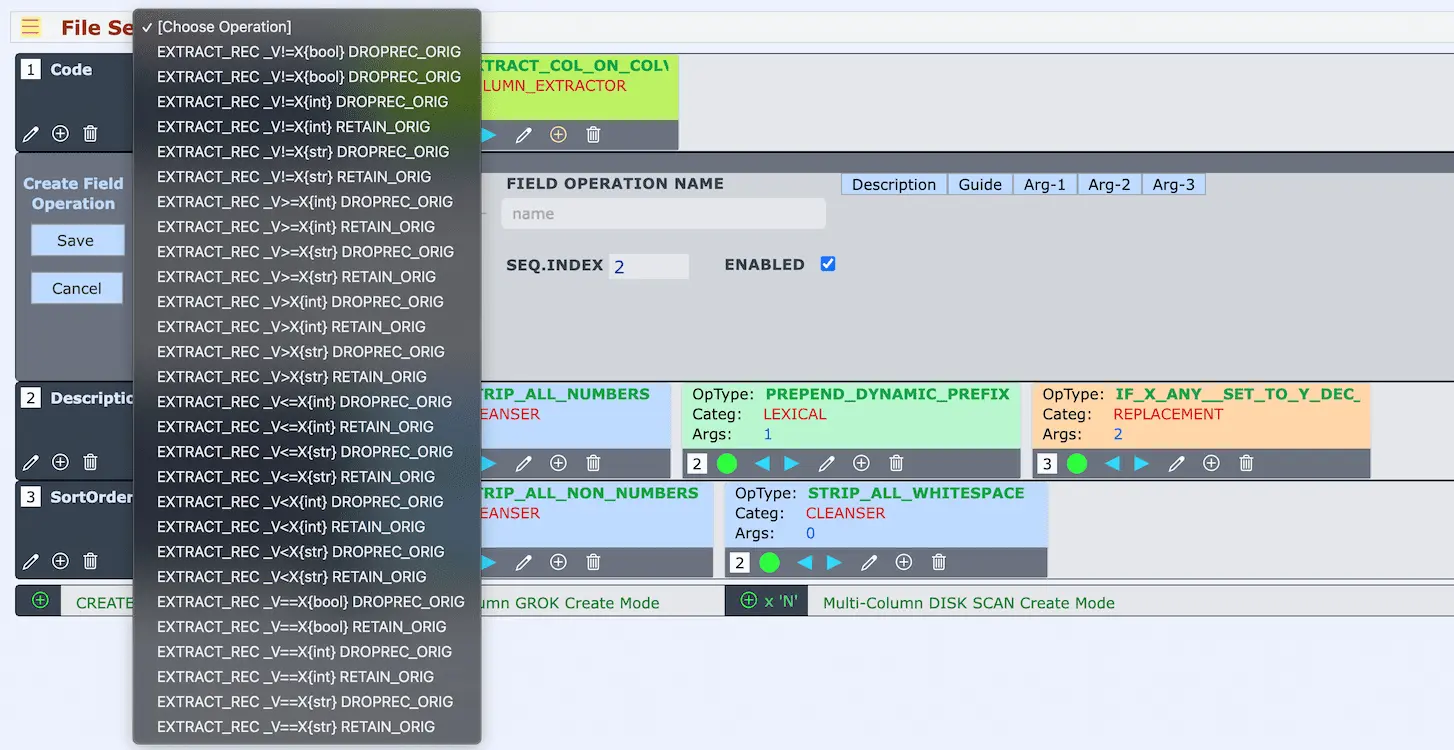
Some records deserve more than a pass-or-fail verdict — they deserve their own destination. With our Record Extractors, you can surgically separate subsets of records from your main data stream and route them into distinct extract files based on user-defined predicate logic. Whether you're triaging problem data, isolating outliers, or pre-segmenting categories, this feature gives you total control.
Unlike Record Filters — which discard matched rows — Record Extractors preserve the selected records in named outputs, and you choose whether to also keep them in the primary output or not. This is made explicit with twin Field Operations like EXTRACT_REC_V>=X{str}_DROPREC_ORIG and its sibling ..._RETAIN_ORIG, letting you decide whether a record is redirected exclusively or copied.
Powerful features like type-safe targeting (for strings, booleans, decimals, integers) and multi-extract support allow a single job to emit multiple tailored output files from one CSV input. With 28 distinct extractors already available — and more planned — this capability sets a new standard in structured data transformation. No scripts, no convoluted logic — just precise, declarative record redirection that works exactly as you intend.
For many data teams, there comes a moment of reckoning—when spreadsheets begin to creak under the weight of increasingly complex needs, and the advice from developers rings clear: “You’ve outgrown spreadsheets. It’s time for a database.” But what if there were a powerful middle ground?
Conditional Column Extracts are that bridge.
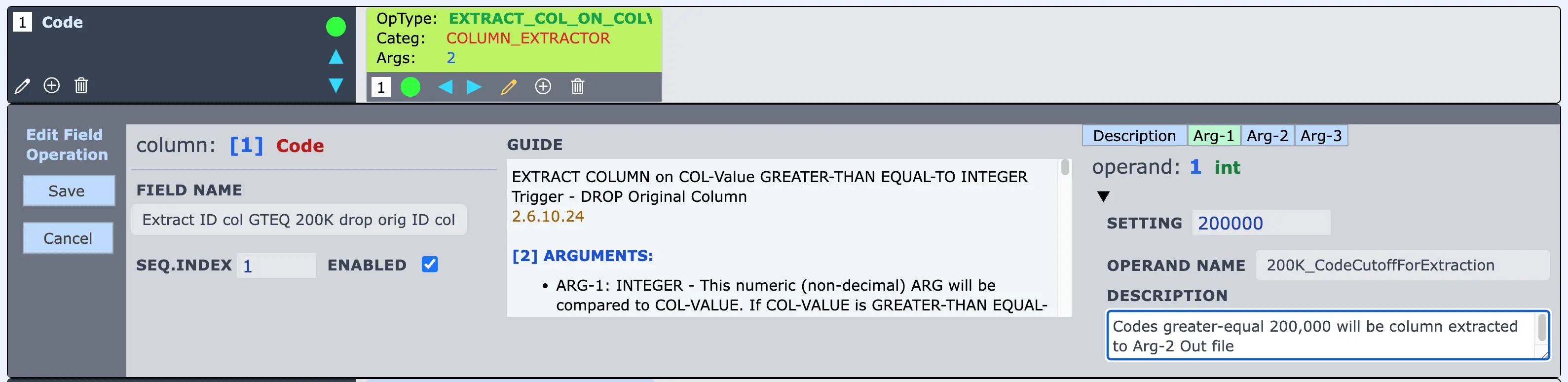
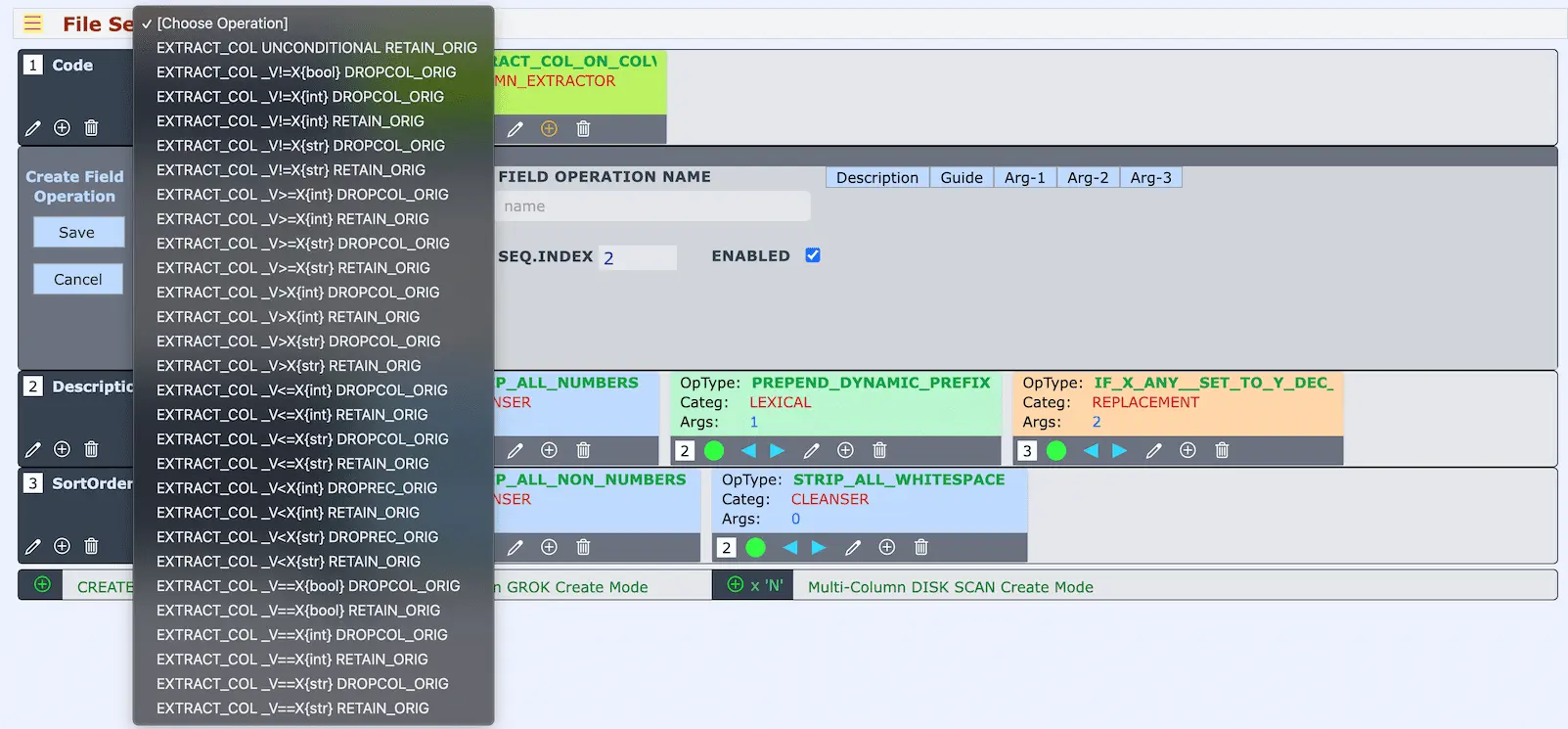
This is the most advanced capability in the CSVTRAX platform — one that reimagines column-level logic with surgical precision, allowing users to selectively redirect specific columns from specific records into user-defined extract files based on complex, conditional predicates. These operations don’t merely transform a value — they decide the fate of entire columns on a per-record basis.
At runtime, Column Extractors of the same Named Group form a consensus model: only when every participating Column Extractor affirms its condition for a given record will their respective columns be routed to the extract. This cooperative predicate logic is astonishingly powerful, giving rise to pseudo-relational behavior that mimics the expressiveness of SQL SELECT statements — but against flat CSV files.
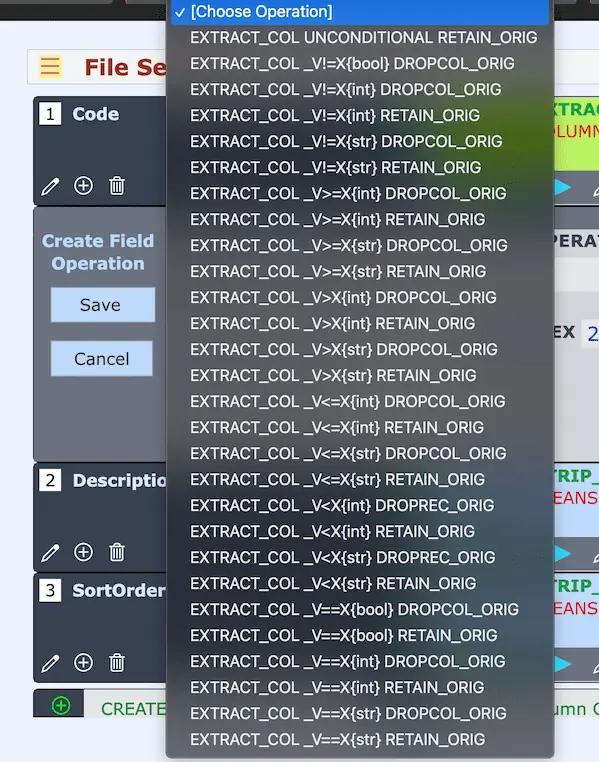
As with Record Extractors, each Column Extractor includes a twin pairing: one variant drops the column from the main output, and the other retains it, enabling dynamic restructuring of the main file in parallel with the extract. These dual behaviors offer unprecedented control over both what is output and how it is shaped.
And the true power emerges when Column Extractors are combined with the full suite of nearly 200 Field Operations. Whether filtering, cleansing, transforming, or extracting — these operators work in tandem to produce results that were once considered possible only with custom software or full-fledged databases.
For spreadsheet users struggling to stretch past the brittle edges of their current tools, this feature doesn’t just offer relief — it redefines the playing field, extending the productive life of the spreadsheet paradigm with clarity, control, and uncompromising precision.
Column Extractors are where the sophistication of databases meets the accessibility of spreadsheets.
CSVTRAX welcomes you to the new standard in structured data processing.
At first glance, Column Extractors appear to focus solely on what they capture — redirecting selected columns from qualifying records into user-named extract files. But there’s another dimension to their design, a conceptual inversion that reveals an unexpected second function: Column Filtering.
When using the Drop Original variant of a Column Extractor, what is silently occurring behind the scenes is more than just an extract — it’s a surgical omission from the Main Output. That is, the very same mechanism that allows selected data to be routed into dedicated extract files can also trim that same data away from the final output — leaving behind a refined, de-cluttered structure. And so, when one chooses to disregard the extract file altogether and instead focuses purely on the Main Output, the Column Extractor becomes a Column Filter.
This duality is subtle, but profound.
It introduces a new way of thinking about column-level logic: not simply as a mechanism for data duplication or export, but as a mutative process by which the structure and content of the primary output is dynamically controlled — column by column, record by record, and all by predicate-based logic that is type-safe and configurable. This is not a surface-level operation for beginners. It is a capability aimed at the practitioner who begins to see operations not just in terms of tools, but in terms of outcomes — and who seeks out creative, unorthodox pathways to solve nuanced data transformation puzzles.
Through this lens, the Drop Original Column Extractors evolve from mere extractors into a flexible filtering engine. They open the door to compositions where the same Field Operation can simultaneously isolate content for special handling, while also sculpting the primary output — enabling transformative workflows that would otherwise require multi-pass scripting or database-level intervention.
These capabilities are not just powerful — they are empowering. They demonstrate that CSVTRAX was designed with layers of utility, allowing each user to grow into more expressive and precise control over their data. Even if most subscribers won’t begin their journey here, those who arrive will find themselves equipped with unexpected instruments of influence.
Because sometimes, solving the problem means flipping the perspective — and realizing the extractor is also the filter.
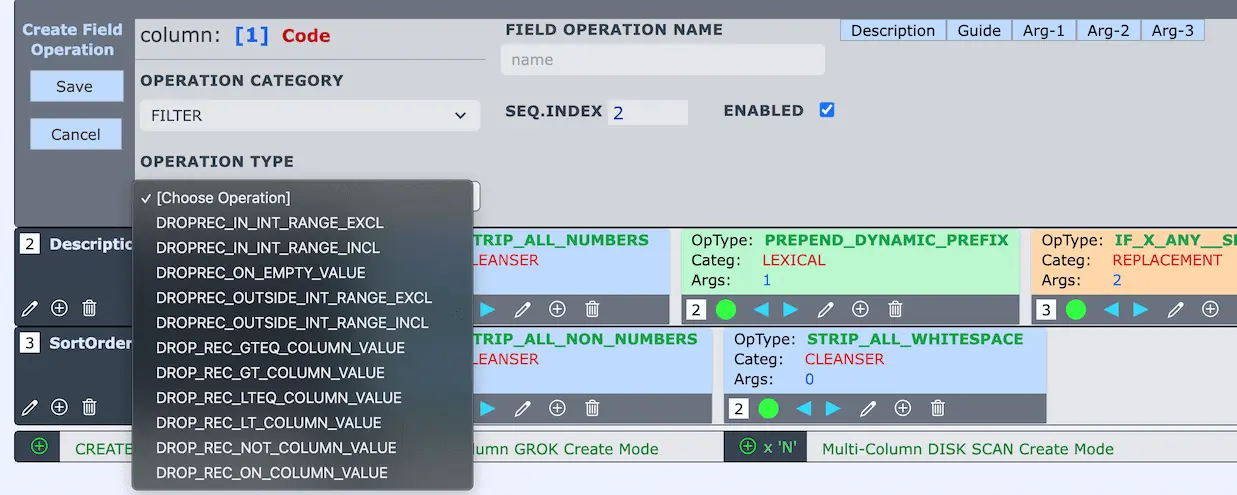
Not every row deserves a place in your final output — and our Conditional Record Filters make sure only the right ones get through. With nearly a dozen purpose-built Field Operations in the Record Filters category — such as DROP_REC_ON_COLUMN_VALUE, DROP_REC_IN_INT_RANGE_EXCL, and DROP_REC_LTEQ_COLUMN_VALUE — you gain powerful, configurable tools to precisely filter records based on any column's content.
These filters empower you to craft targeted subsets of your data, trimming noise and honing in on relevance. What makes this capability even more formidable is its composability: you can first apply transformations to normalize or cleanse a column — then feed the refined result into one of these record-level filters. This layering approach lets you prepare data contextually before evaluating it, ensuring accuracy and intent.
Conditional Record Filters exemplify how the CSVTRAX platform supports not just column-level transformation, but full-row logic, enabling surgical precision in structuring your output.
In CSVTRAX, every Field Operation plays well with others. Column extractors, record filters, value replacers, and data cleansers aren’t siloed tools — they're composable primitives, ready to intermix in powerful, intuitive ways. The result? A system where your creativity, not technical limitations, defines what’s possible.
Want to drop a record based on one column, extract another column to a side file, and reshape a third for Main Output? You can. Filters and extractors operate in harmony, enabling workflows once reserved for SQL experts or custom scripts — now achievable by visual composition alone.
The power is no longer buried in code; it’s surfaced in the clarity of your intent. This platform doesn't impose constraints. It amplifies your ideas. Your next data transformation is not a battle — it’s a design challenge. And you already know how to solve it.
Your data workflows aren’t static — they evolve. Whether you’re refining transformations during development or running stable production jobs, preserving the original INPUT is critical. CSVTRAX anticipates both realities.
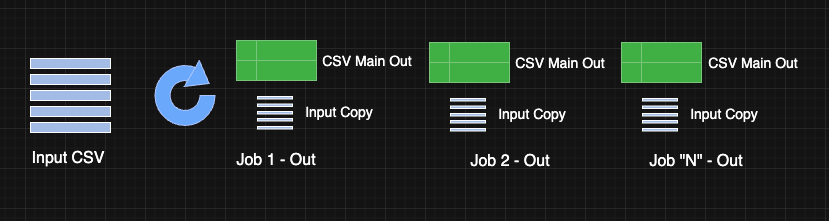
Every CSV you upload remains safely queued for reuse, allowing you to iterate and fine-tune your job without re-uploading the file. But it goes further: each Job Run not only produces a transformed output, but also includes a copy of the exact INPUT used.
This dual preservation is essential in real-world settings. When something goes awry, forensic accuracy matters. By retaining the exact input alongside each output, CSVTRAX ensures you can trace, reproduce, and diagnose behavior with precision. This thoughtful design supports casual exploration and enterprise-grade auditability — making the platform a fit for both agile solo users and IT organizations demanding operational rigor.
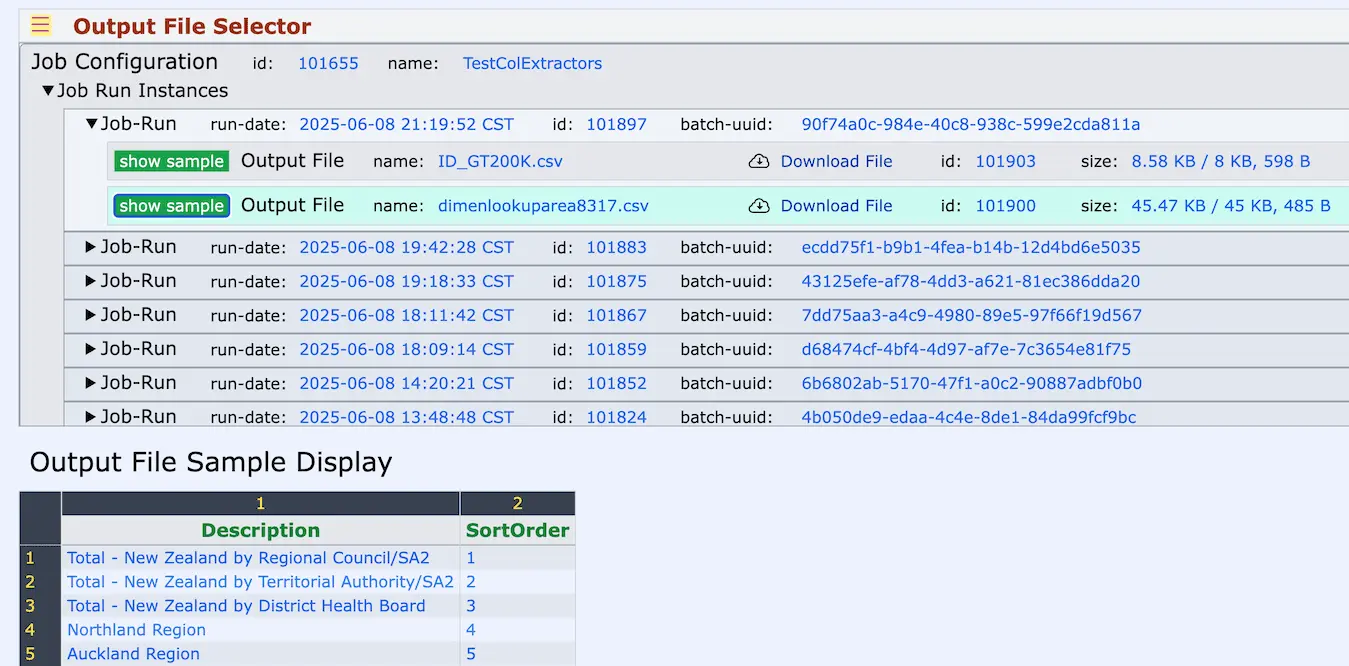
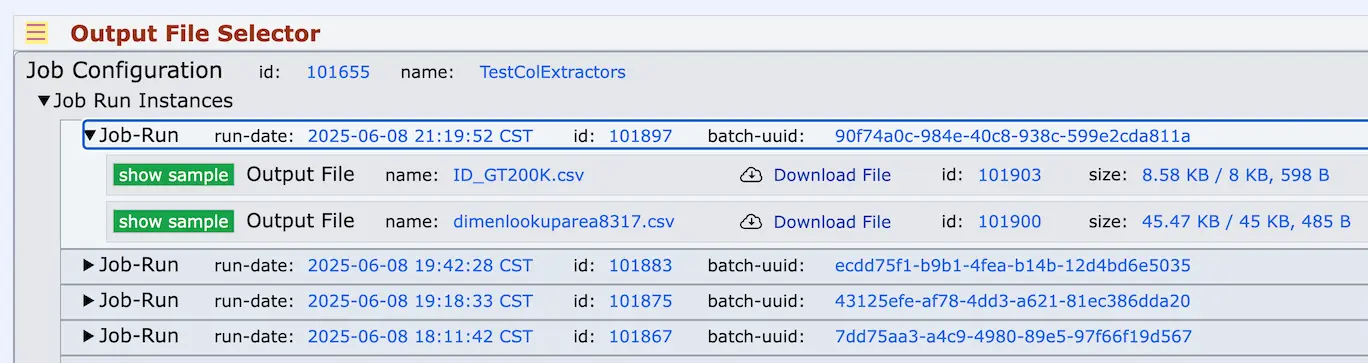
The Job Results Viewer offers a central hub to inspect every output generated by your Transform Jobs. Each run is neatly cataloged with a timestamp, file size, output file name, and the producing Batch UUID. For each output, a convenient “Show Sample” button displays the first 100 transformed records directly within CSVTRAX — complete with headers and line/column numbers — so you can quickly assess correctness before downloading.
Whether you’re refining output structure, validating test runs, or tracing production results, this flexible interface supports a wide range of workflows. The built-in preview, paired with immediate access to download options, reflects a thoughtful design philosophy that anticipates real-world needs — giving you confident control over your transformation outcomes with no guesswork or blind downloads.
When a single input CSV is split into multiple output files — such as when Conditional Column Extractors are applied — the Job Results Viewer presents these outputs with clarity and precision. Each extract file appears alongside the main output, complete with helpful metadata: run date, file size, job UUID, and filename. With intuitive “Show Sample” and “Download File” buttons for each result, Users can navigate complex job histories with ease.
This visual organization scales gracefully as outputs multiply across job runs and configurations. Whether you're managing a single output or dozens of targeted extract files, the interface ensures nothing is lost in the shuffle. These thoughtful design elements reflect CSVTRAX's commitment to real-world use — anticipating the inevitable sprawl of data artifacts and offering a mature, well-structured UX for Users solving both simple and advanced file-driven workflows.
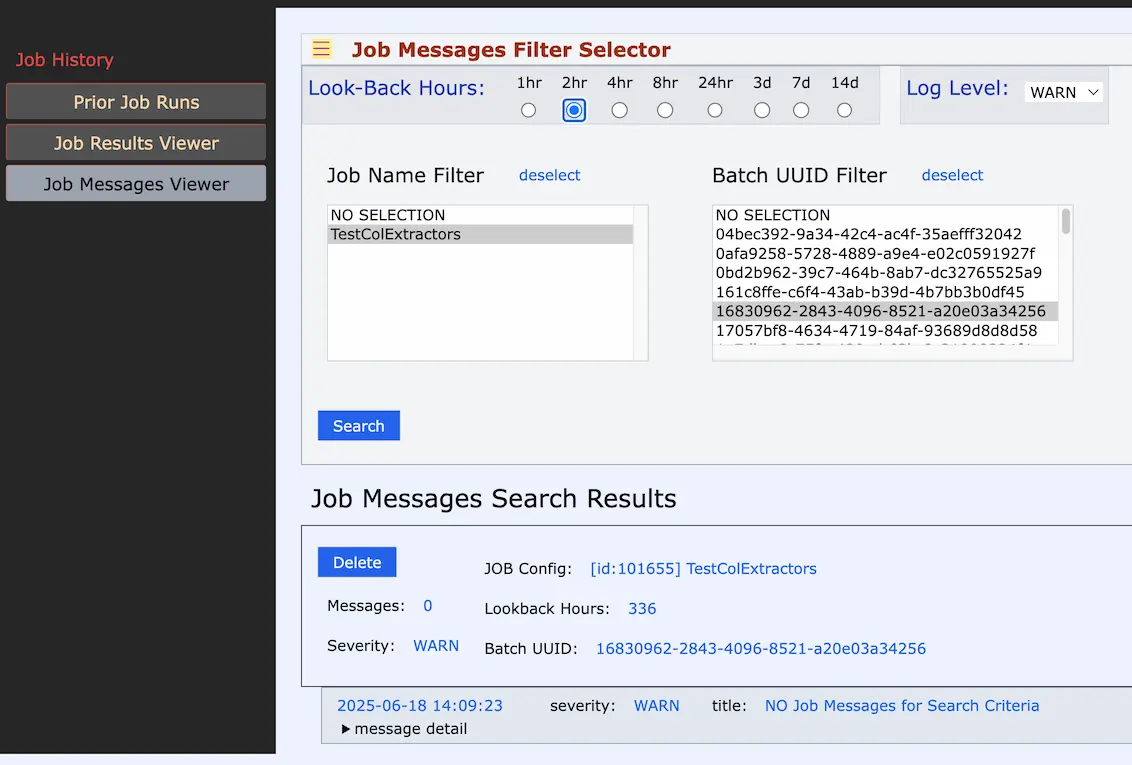
Every job run in CSVTRAX is accompanied by full-spectrum diagnostics — because in real-world workflows, visibility into issues is non-negotiable. The Job Messages Viewer offers configurable filters by time window and severity (INFO, WARN, ERROR), with precise lookup via Job Configuration Name or Batch UUID. Users can trace issues directly to their source with clarity and context. Additionally, an "ERROR_*.txt" file is included in the job output, offering a comprehensive log of encountered problems.
This approach isn't about hiding errors — it’s about surfacing them respectfully. We believe our users are smart, experienced, and results-driven. They deserve transparency, not obscured faults or half-measures. CSVTRAX reflects the practices of a seasoned internal toolset — where clear, timely, and complete error messaging supports iteration, trust, and accountability at every stage.
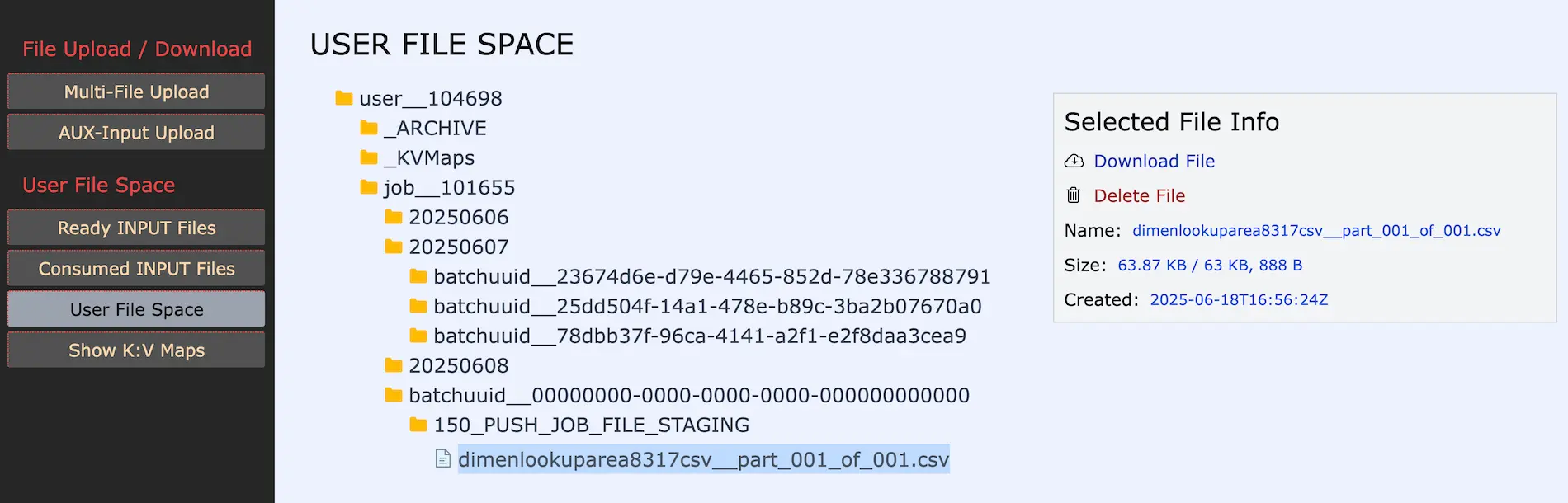
The User File Space page offers a familiar, folder-style view of your private storage area — mirroring the experience of navigating files on your personal device. Behind the scenes, your CSVTRAX account is backed by fully tracked storage, but this UI layer gives you intuitive access to all your assets.
Expand and collapse folders, drill into subdirectories, and locate input/output files with ease. Selecting a file opens a metadata popup showing size, creation time, and actions like Download or Delete — akin to a right-click “info” panel on Mac OS.
This interface isn’t just cosmetic — it’s situational awareness designed for clarity and control. You’ll always know what files you’ve uploaded, transformed, or extracted. It’s another example of how CSVTRAX aligns itself to your expectations, making you immediately productive and confidently in command of your working data.
Every feature you’ve explored in this tour is designed with a single goal: to save you time, effort, and frustration when transforming structured data.
Whether you are preparing analytics pipelines, integrating systems, or cleaning client deliverables, CSVTRAX provides the precise tools to streamline your workflow and eliminate manual tedium.
CSVTRAX is flexible enough to support both simple, ad-hoc transformations and complex, repeatable data pipelines.
You can start small and scale up as your needs evolve — with no complex software installation, no servers to manage, and no long learning curve.
The efficiencies gained with CSVTRAX translate directly to cost savings. Time you reclaim from manual data handling is time you can spend on high-value work.
Your teams become more agile and responsive, and your organization reduces risk by enforcing consistent, repeatable data processing standards.
CSVTRAX is priced to be an affordable tool for individuals, small businesses, and enterprises alike.
Our tiered subscription model gives you the freedom to select the plan that matches your needs — and you can adjust your plan at any time. You will find that even a modest monthly investment in CSVTRAX returns value many times over through the efficiency it delivers.
If you’ve reached this point in your exploration, chances are that you recognize the power CSVTRAX can offer your data workflows.
The only thing left is to take the next step: sign up, start your Free Trial, and experience firsthand how CSVTRAX can elevate your productivity and data quality — starting today.